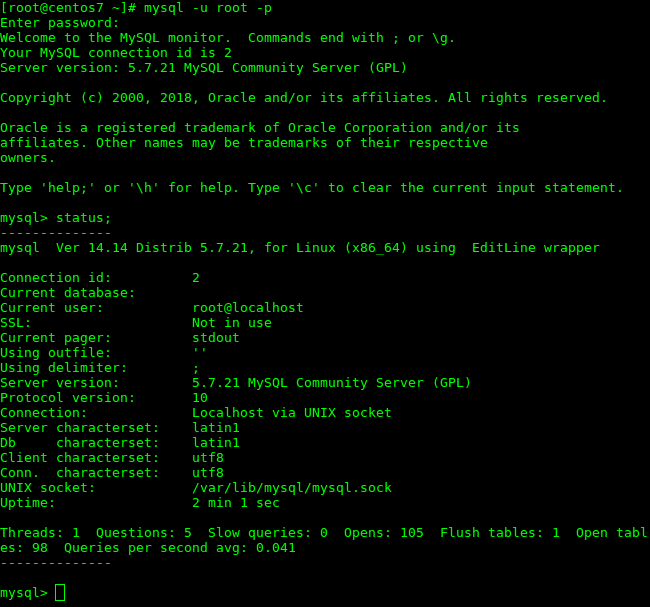
MySQL is probably the most popular database engine and, together with Apache and PHP on Linux, forms what is commonly known as a LAMP server.
This article shows how to set up a MySQL Server 5.7 database server on CentOS 7 / RHEL 7.
In this example, we use CentOS 7. The repositories for this version do not include the MySQL database.
MariaDB is available in the repositories and, in many cases, we can use it as we normally would use MySQL.
To install MySQL 5.7, we need to add Oracle’s repository for CentOS 7 / RHEL 7 to our server.
Add the MySQL repository
We will use Oracle’s official RPM to add the MySQL sources to our system.
Download the RPM package to configure the repository
Download the RPM from https://dev.mysql.com/downloads/mysql/
Select “Red Hat Enterprise Linux / Oracle Linux” as the operating system and “Red Hat Enterprise Linux 7 / Oracle Linux 7 (x86, 64-bit)” as the version, as shown in the following screenshot.
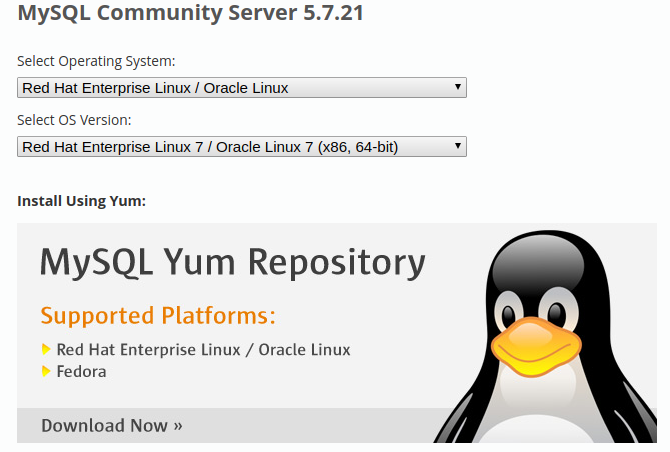
Click Download Now. This takes us to https://dev.mysql.com/downloads/repo/yum/
Find “Red Hat Enterprise Linux 7 / Oracle Linux 7 (Architecture Independent), RPM Package” and download it.

You can download the package directly to the server with:
wget https://dev.mysql.com/get/mysql57-community-release-el7-11.noarch.rpm
Install the repository package
From the directory where the RPM was downloaded, run this as root:
yum localinstall -y mysql57-community-release-el7-11.noarch.rpm
Check the repository
You can check the repository source named mysql-community.repo in /etc/yum.repos.d.
There may be other options, some of which are disabled with enabled=0. For our purpose, the default configuration is correct.
Install MySQL 5.7
Now we can install MySQL. From a terminal as root, run:
yum install -y mysql-community-server
The database is now installed.
Enable automatic startup and start the instance for the first time
Start automatically when the system boots
systemctl enable mysqld
Start MySQL for the first time
systemctl start mysqld
The instance is now running.
Set the initial password for the administrator account
To connect, we need to know the password generated during installation.
The password is in the database log. You can find it as follows:
cat /var/log/mysqld.log |grep password
Use the password you just retrieved to connect to the instance:
mysql -u root -p
You will be prompted for the password; enter the one shown in the MySQL log.
The first thing to do after connecting is change that password.
SET PASSWORD = PASSWORD('mySu83rP4$$wor6');

flush privileges;
This enables normal use of MySQL; until you change the password, you cannot operate normally.
At this point, our MySQL 5.7 instance is installed and running.